
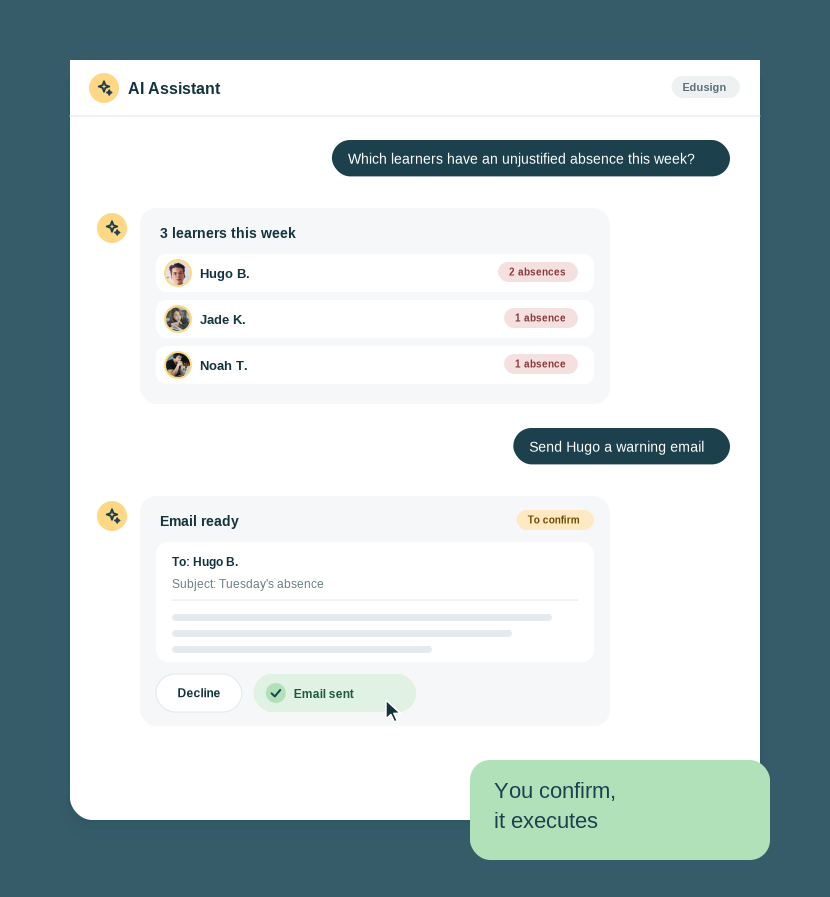
Inside Edusign, your assistant explains, queries your data and prepares what you send. You confirm, it executes.
More than 5,000 institutions trust us



























Finding how to do something, looking up a figure, following up with someone: these small tasks fill a school office day. The assistant shortens them, in one conversation.
Ask how to use a feature; the assistant answers from the Edusign help centre, without you hunting for the article.
It queries your learners, sessions, attendance and absences, then compares and summarises, with no Excel export.
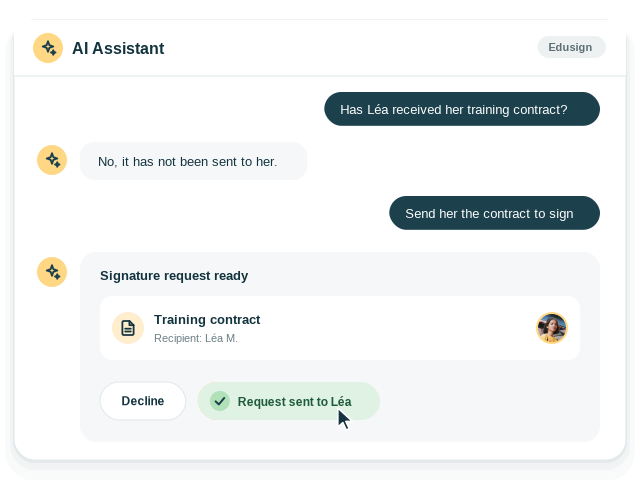
It prepares an email, a notification, a survey, an attendance link or a document to sign.
Every send goes through a confirmation card: you confirm, or you decline and say why.
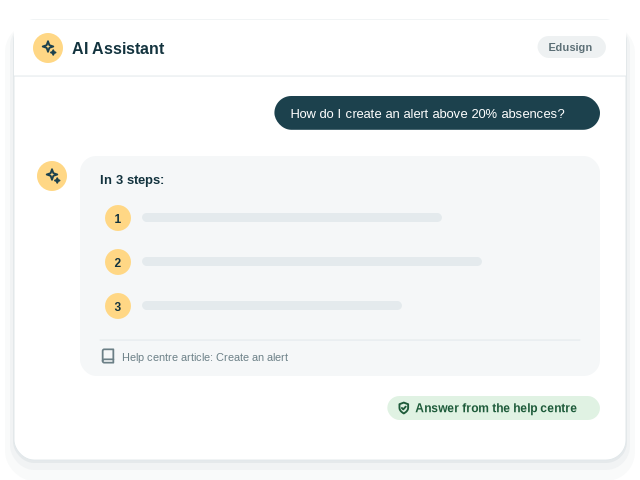
Nobody knows every feature by heart. Ask "How do I archive an attendance sheet?" or "How do I create an alert above 20% absences?": the assistant answers from the Edusign help centre, step by step.
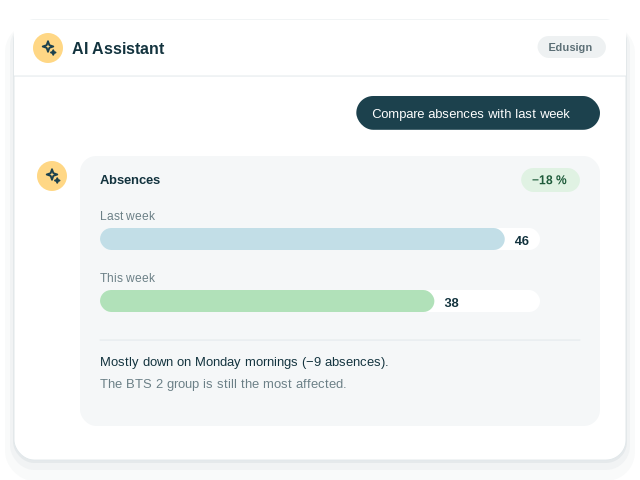
The data is already in Edusign. The assistant finds it, compares it and summarises it in the conversation: "Which sessions are on today?", "Compare this week's absences with last week's".
"Which learners have an unjustified absence this week?" then "Send Hugo a warning email": the assistant prepares the message and shows it to you. You confirm, it executes. Six follow-up steps become one conversation.
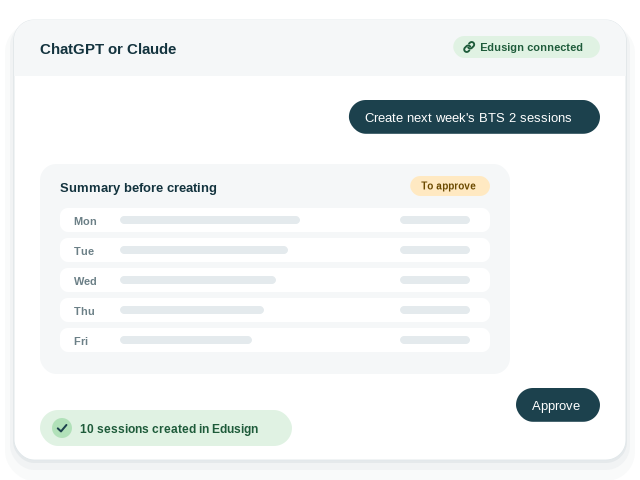
Already working with ChatGPT or Claude? Connect them to Edusign with the MCP server. They read your attendance and scheduling data and go further: create sessions, import learners, build a dashboard, always after your approval.
A conversational assistant built into the Edusign platform, for your institution's staff. It answers usage questions from the help centre, queries your institution's data (learners, sessions, attendance, absences) and prepares sends: email, notification, survey, attendance link or document to sign.
No. Every send goes through a confirmation card: you confirm, or you decline and give a reason (wrong recipients, message to review…). Nothing goes to a learner or a trainer without your approval.
The assistant is part of Edusign's AI offer. An administrator of your institution turns it on in Settings, under Edusign AI. It is currently in beta.
No, the models are not trained on your data. We explain hosting and safeguards on the AI and student data page.
The chatbot answers learners in their app, from the documents you sync. The AI Assistant serves your staff, inside the platform: it queries your data and prepares actions.
The MCP server connects Edusign to the AI assistant you already use. It can also create sessions, import learners or build custom tools. Browse 32 ready-to-copy use cases.
The interface is available in French, English, Spanish and Italian, and the assistant answers in the language of your question.
“Our programme managers particularly appreciate the time saved in their daily work. The bet is won.”

École Polytechnique
“Attendance sheets used to be on Excel. A real pain. Edusign changed everything.”

Timothée
“Attendance sheet management is no longer done manually. It's a considerable time saving. Edusign truly understands the challenges in professional training.”

Jedha
“We quickly realised our needs went far beyond geolocation. This application truly brought more fluidity, responsiveness and modernity to our campus.”

CentraleSupélec
“Our programme managers particularly appreciate the time saved in their daily work. The bet is won.”
École Polytechnique
“Attendance sheets used to be on Excel. A real pain. Edusign changed everything.”
Timothée
“Attendance sheet management is no longer done manually. It's a considerable time saving. Edusign truly understands the challenges in professional training.”
Jedha
“We quickly realised our needs went far beyond geolocation. This application truly brought more fluidity, responsiveness and modernity to our campus.”
CentraleSupélec
“AppScho by Edusign enabled us to create a gateway platform to all our digital tools.”

Delphine Boisdron
“We were won over by the simplicity of setup and the tool's responsiveness. It was quickly adopted by everyone. Go for it with your eyes closed!”

Laho Formation - CCI Hauts-de-France
“Simple signature, QR Code, email… All these signing methods truly brought flexibility to how we manage participant attendance, and that was a major factor in choosing Edusign.”

Formatex
“For about fifteen learners a day, I used to spend 1 hour on attendance sheets. Today, 10 to 20 minutes is enough. It’s quite intuitive and easy to use.”

Mylène Dubois
“AppScho by Edusign enabled us to create a gateway platform to all our digital tools.”
Delphine Boisdron
“We were won over by the simplicity of setup and the tool's responsiveness. It was quickly adopted by everyone. Go for it with your eyes closed!”
Laho Formation - CCI Hauts-de-France
“Simple signature, QR Code, email… All these signing methods truly brought flexibility to how we manage participant attendance, and that was a major factor in choosing Edusign.”
Formatex
“For about fifteen learners a day, I used to spend 1 hour on attendance sheets. Today, 10 to 20 minutes is enough. It’s quite intuitive and easy to use.”
Mylène Dubois


